
How to Get More Bookings Using NFC Tap Technology
16 October 2026 · 13 min read
How to Get More Bookings Using NFC Tap Technology
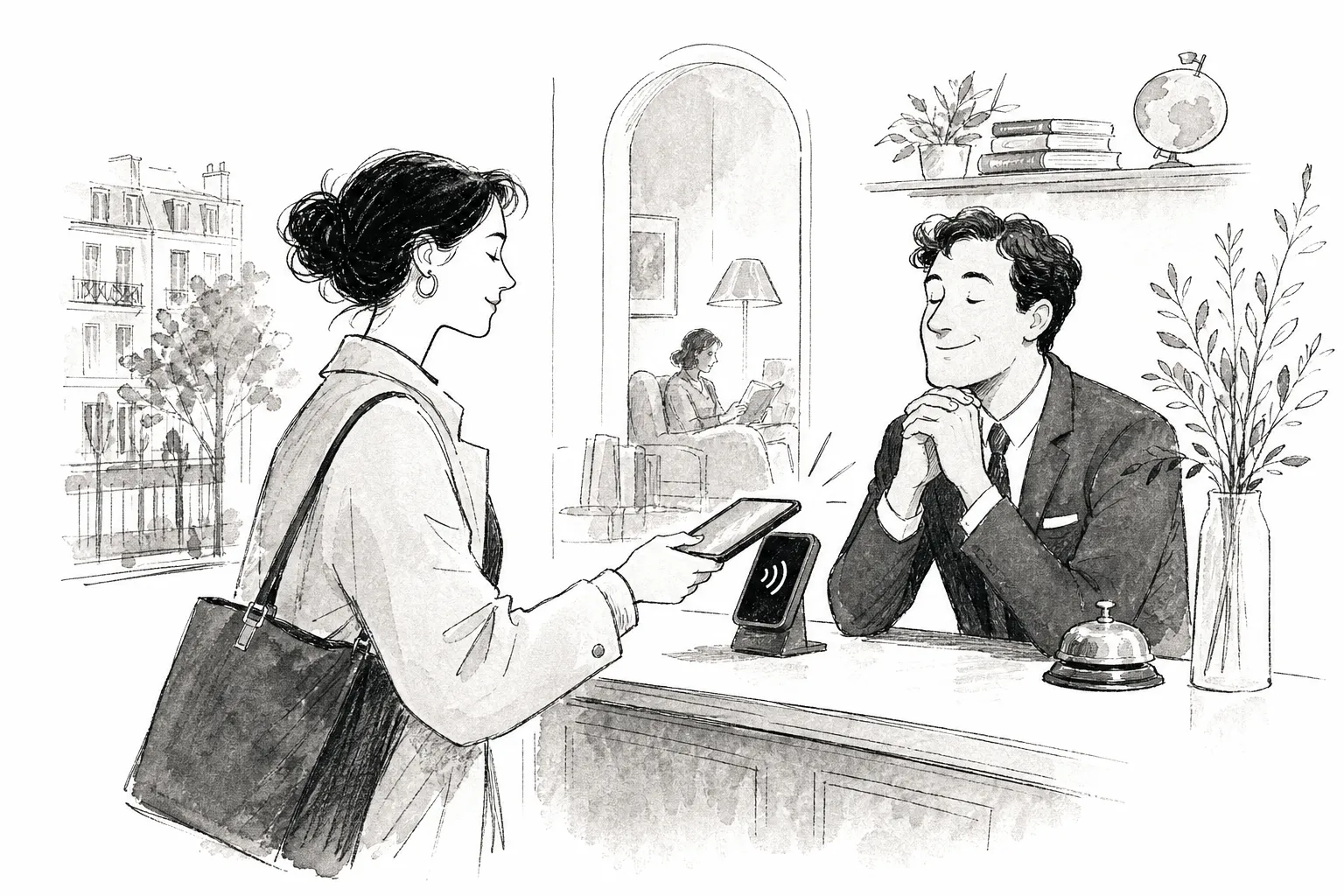
If you've been asking yourself how can I use NFC technology to get more bookings for my business, the answer is more straightforward than you might expect. Place an NFC stand or tap card at your checkout, reception desk, or tables, link it to your booking page, and any customer who taps lands directly on your scheduling system in one touch. No app, no awkward ask from staff, no follow-up email. That single tap captures intent at the exact moment a customer is most likely to say yes, though converting that tap into a confirmed booking still depends on having a fast, frictionless booking page waiting on the other side.
Most local businesses lose repeat bookings not because customers don't want to return, but because there's no frictionless moment that captures that intent on the spot. By the time a follow-up email arrives, the impulse has cooled and the diary has moved on. Powerful Reviews has helped UK local businesses tackle exactly this problem with physical NFC hardware and tracked booking links designed to work at the precise moment a customer is most engaged, though, as with any tool, the results depend on the booking flow and setup behind it.
Key takeaways
NFC removes friction at the right moment: A tap at checkout or reception captures walk-in satisfaction and opens your booking page instantly, reducing the steps between intent and action, no staff involvement required once the tap point is in place.
No app needed: Customers tap with any modern smartphone. Estimates suggest that the vast majority of current UK devices have NFC hardware built in, though users may need NFC enabled in their settings and the post-tap experience can vary slightly between iOS and Android.
Three placements drive most results: Checkout, reception desk, and tables or treatment rooms consistently produce the highest tap-to-booking rates.
Tracking matters as much as the tap: Unique redirect URLs per placement let you compare which tap points are generating booking-page visits and which need attention.
Powerful Reviews handles the full setup: Hardware, tracked links, and monthly growth reports come as one managed system, with no technical knowledge required on your part.
What actually happens when a customer taps an NFC stand?
The tap-to-book journey from the customer's perspective
An NFC tag is a small chip embedded in a card, sticker, or stand. In practice, most tags contain a single HTTPS URL (stored as an NDEF URI record), though tags can hold other record types if required. When a customer holds their phone within a few centimetres of the tag, the phone reads that URL natively, no app download, no camera, no search required. A browser notification appears, the customer taps it, and your booking page opens directly in their phone's browser in under five seconds.
This works on both iOS and Android, though Android users may need NFC enabled in their settings, and the precise post-tap behaviour (deep links, browser handling, app fallbacks) can differ between operating systems. It's worth testing both platforms before deploying. Modern smartphones generally read NFC Forum tags natively, which means the vast majority of UK devices support this interaction without any configuration. The customer's experience is as close to invisible as any booking journey can be: tap, see the booking page, choose a time.
Why it outperforms every other booking reminder method
Email follow-ups arrive hours or days after a visit, when intent has cooled and the customer's schedule has already filled up. Verbal reminders from staff are inconsistent and can feel pushy, particularly in salons, gyms, and hospitality venues where customers value the experience above all else. An NFC setup removes both problems by placing the booking link at the exact moment of satisfaction, while the customer is still on your premises and still in a positive frame of mind.
Method When it reaches the customer Typical conversion Staff effort required NFC tap at checkout Moment of highest satisfaction, in person Up to 60, 70% rebooking when prompted at checkout (see note below) None once installed Verbal staff reminder End of appointment, in person Variable; depends on individual staff confidence High and inconsistent Follow-up email Hours or days after the visit Typically 8, 12% per campaign Low once automated, but intent has cooled
Note: The 60, 70% rebooking figure reflects industry data for in-person checkout prompts in salons. Evidence for unattended NFC taps alone reaching these rates is limited; NFC is best understood as a tool that replicates the prompt reliably and consistently, with actual conversion depending on the booking-page experience that follows.
How can I use NFC technology to get more bookings for my business, which sectors benefit most?
Salons, barbershops, and spas
These businesses run on repeat appointments, and checkout is a natural moment to rebook. An NFC tap card on the payment terminal or reception desk lets a client book their next visit while they're still paying for this one. There's no awkward staff ask because the stand does the work silently. Industry data supports the approach: a direct checkout rebooking prompt converts at roughly 60 to 70 per cent, compared to around 8 to 12 per cent for a follow-up email campaign. The gap is too large to ignore.
NFC fits the salon model especially well because the same three conditions are always present: high-frequency repeat visits, a face-to-face customer relationship, and a clear next appointment always on the horizon. Removing the friction from that natural rebooking moment is straightforward when the tool is already sitting on the reception desk. NFC booking integration with platforms like Booksy or Fresha means the tap can open a pre-populated scheduling page directly, no searching, no typing.
Gyms, personal trainers, and wellness studios
Classes, one-to-one sessions, and treatment appointments all require advance scheduling. A tap stand at the front desk or in the changing area lets members book without queuing at reception. NFC tags for small businesses in this sector work particularly well near class timetables or on instructor boards, because clients can act on the impulse immediately, at the moment they've just decided they want to return. That immediacy is what distinguishes NFC from every delayed-delivery method.
Restaurants, cafés, and hospitality venues
For venues that take reservations, an NFC stand near the exit or on the table captures the moment a customer finishes a great meal and wants to return. Contactless booking stickers on menus or at the till turn a positive dining experience into a locked-in future visit before the customer steps outside. Placement is everything: the stand needs to be visible at the moment of peak satisfaction, not buried near the entrance where the experience hasn't yet been formed.
Where should you place NFC tap points in your business?
The three highest-converting placements
The checkout or payment point consistently produces the most taps. The customer is already in a transactional mindset, briefly paused, and still carrying the positive feeling of a good experience. The reception desk or waiting area captures early engagement, which works particularly well for medical practices, salons, and gyms where clients arrive with a moment to look around. Tables and treatment rooms are effective because satisfaction is often highest mid-experience, and a tap-to-book card sitting quietly on the surface reduces the steps between impulse and action. These placements are widely used and worth testing in your specific venue, as results can vary.
How to get placement right physically
Each tap point needs a visible label. Something as direct as "Tap here to book your next visit" is enough. Keep the tag away from metal surfaces unless you're using a ferrite-backed, on-metal NFC tag designed for that purpose. Always place a QR code alongside the NFC tag as a fallback, some customers prefer scanning, and pairing both formats ensures coverage regardless of how a customer's phone handles NFC. The physical footprint is minimal; a small stand or card-sized tag sits unobtrusively on a counter without disrupting the space or the experience around it.
How do you link an NFC tag to your booking system?
Setting up your NFC booking integration correctly
Before touching any hardware, create a clean public booking URL from your platform: Calendly, Acuity, Square Appointments, Booksy, or any equivalent. Verify it opens in a private browser tab without requiring a login. The most reliable approach is to encode a redirect URL you control, such as yourdomain.com/book, rather than the booking platform's own URL. This means you can switch booking systems or update links later without replacing every physical tag in your business, and it gives you a single point at which to add UTM parameters for tracking.
Writing the link to the tag
Buy a rewritable NFC tag. NTAG213 is sufficient for a standard booking URL and offers broad iOS and Android compatibility in busy retail or hospitality environments.
Install an NFC writing app on your phone.
Select the URL or URI record type and paste your full HTTPS booking link.
Tap the phone against the tag until the write confirms.
Test on both an iPhone and an Android device before mounting anything permanently.
Add a QR code beside the tag using the same URL for full compatibility.
One point worth emphasising: a broken tap-to-book link is worse than no link at all. The customer taps, sees an error, and loses trust in the entire experience. Test the full journey end-to-end after mounting the tag on its final surface, because materials like laminate and certain plastics can affect the tag's reading range. Test on cellular data rather than in-store Wi-Fi, that's the connection your customers will actually use.
Why Powerful Reviews makes this whole setup ready to go
A system that combines hardware, tracking, and reporting
Rather than sourcing tags, writing URLs, building redirect infrastructure, and setting up analytics separately, Powerful Reviews provides NFC tap stands and cards pre-configured with tracked booking links. Every physical tap point carries its own individual tracked URL, so every tap is logged in the client portal. Business owners can see how many booking-page visits each placement is generating, broken down by location and by week, without having to manage a separate analytics dashboard. Each tracked link uses server-side redirect logging, giving you reliable tap counts independent of browser settings.
Monthly reports that show you what's actually working
Powerful Reviews records baseline numbers at launch and tracks growth week over week, producing a clear before-and-after picture for every tap point in the system. For businesses with multiple locations, the portal shows which sites are generating bookings and which tap points are underperforming. This turns what is usually a guesswork exercise into a data-informed growth process with real numbers behind it. The business owner sees the results; Powerful Reviews handles the infrastructure that makes those results visible.
How do you know if your NFC tap points are actually working?
The metrics that matter for tap-to-book performance
The core measurement framework has four numbers: taps recorded at the redirect server level, booking-page sessions opened, confirmed bookings, and the tap-to-booking rate (confirmed bookings divided by valid taps). Taps alone don't tell the full story. A high tap count with a low booking rate usually points to a friction problem on the booking page itself, slow load time, a confusing layout, or too many steps before the confirmation screen appears. Addressing the post-tap experience is just as important as the physical placement.
Using NFC technology to get more bookings, placement and tracking
The most useful comparison is tap point against tap point rather than against an industry benchmark. If the reception desk tag drives booking-page visits at twice the rate of the table tag, that's actionable information. You know exactly where to add more placements and where to refine the booking-page journey. A unique redirect URL per placement is what makes this comparison possible; without it, all NFC traffic appears as a single undifferentiated source and you lose the ability to improve anything systematically. Treat each placement as its own small experiment, and the data from the first month tells you where to focus next.
Turn your most satisfied customers into confirmed future bookings
NFC tap technology reduces the biggest barrier between a satisfied walk-in customer and a confirmed future booking: the friction of finding the booking page, remembering to act later, or relying on a member of staff to remember to ask. A stand at checkout, a card on reception, a contactless booking sticker on a table, each one is a silent, always-on booking tool that works at the moment of highest intent, requiring nothing from your team and nothing from your customer beyond a single tap. The conversion still depends on what greets them on the other side, which is why the booking-page experience and your tracking setup matter equally.
So, how can I use NFC technology to get more bookings for my business? Start with one placement at your highest-traffic point, measure the first month, and let the data guide every decision after that. If you'd rather skip the DIY setup entirely, Powerful Reviews delivers the hardware, tracked links, and monthly growth reports as one managed system. You deploy the tap points, customers tap, and the data shows you what's working across every location and every placement. Get in touch with the Powerful Reviews team to find out how quickly you can have your first tap-to-book NFC tags live and tracking results.
Frequently Asked Questions
How do I test that NFC tags will work on both iPhone and Android before I install them permanently?
Test on both an iPhone and an Android device before mounting anything permanently. I write the URL to a rewritable tag (NTAG213 is sufficient), then tap each phone to confirm the browser notification appears and the booking page opens. I also test on cellular data rather than in‑store Wi‑Fi because that is the connection customers will actually use.
What should I do if a customer’s phone won’t read the NFC tag?
Offer a QR code beside every NFC tag as a fallback. I place the QR and the NFC tag together so customers who prefer scanning or whose phone has NFC disabled still reach the same booking URL. I also make sure the physical label is visible and that tags are kept away from metal unless using on‑metal rated tags.
How can I tell whether low bookings are caused by the tag placement or the booking page itself?
Compare per‑placement metrics using unique redirect URLs so you can see taps, booking‑page sessions and confirmed bookings separately for each tap point. I look for a high tap count but low booking rate as a sign of friction on the booking page (slow load, confusing layout, too many steps). If one placement drives many sessions and another does not, I treat each placement as a small experiment and focus optimisation where the data points.
If I prefer not to set everything up myself, what does the managed option provide?
A managed system provides the hardware, pre‑configured tracked links and monthly growth reports so you do not need technical knowledge. I supply NFC stands and cards with individual tracked URLs logged at the redirect server level, and I deliver weekly or monthly reports showing tap counts, booking‑page visits and growth across locations. This lets you deploy tap points and see results without building redirect infrastructure or analytics yourself.
Want more reviews like this?
See how Powerful Reviews turns happy moments into Google reviews and social follows in a free 30-minute demo.
Book a free demo